
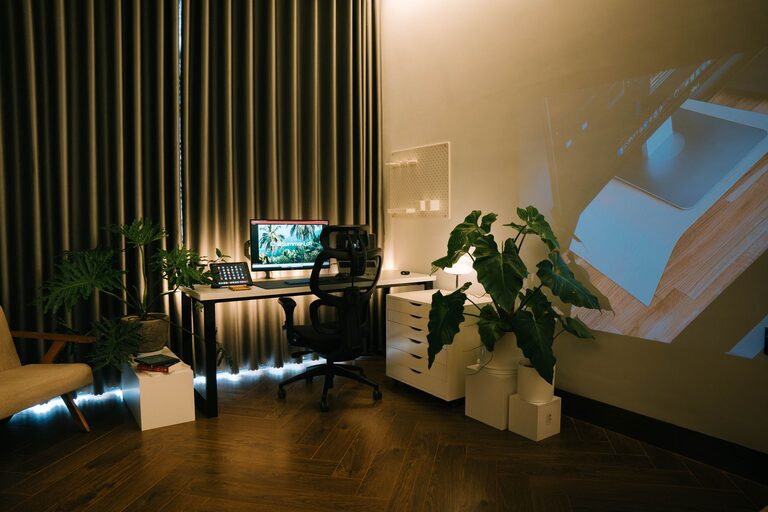
Creating a home office that is both cozy and productive can make a significant difference in your workday. Whether you are working remotely full-time or just occasionally need a quiet space, the way you set up and organize your workspace impacts your comfort, focus, and motivation. Here are some practical tips to help you design a home office that feels welcoming and supports your productivity.
Choose the Right Location
Find a Quiet Spot
A good home office starts with selecting the right place. Look for a quiet corner or room with minimal distractions. If you don’t have a separate room, even a designated nook in a living area can work well if it’s away from high-traffic zones.
Consider Natural Light
Natural light boosts mood and alertness. Place your desk near a window if possible, but avoid glare directly on your screen. If natural light is limited, invest in quality lighting that mimics daylight to keep your space bright and inviting.
Invest in Comfortable Furniture
Ergonomic Chair and Desk
A comfortable chair with good back support is essential, especially if you spend long hours seated. Pair it with a desk at the right height to maintain good posture and reduce strain.
Flexibility for Movement
If possible, incorporate a sit-stand desk or take short breaks to stretch and move. Standing desks or adjustable workstations can improve circulation and increase energy.
Personalize Your Workspace
Add Cozy Elements
Soft textiles such as a plush rug, comfy cushions, or a throw blanket can make your office feel warm and inviting. These touches provide comfort and reduce stress during work.
Include Personal Items
Photos, plants, artwork, or meaningful decorations can boost your mood. Keep personal items within view but avoid clutter to maintain a focus-friendly atmosphere.
Organize for Efficiency
Declutter Regularly
Keep your desk tidy to avoid distractions. Use cable organizers, desk trays, or shelves to manage tools and supplies neatly.
Use Smart Storage Solutions
Invest in storage boxes, filing cabinets, or wall-mounted organizers to keep paperwork and office essentials in order. Label your storage to quickly find what you need and maintain order.
Optimize Technology Setup
Reliable Equipment
Ensure your computer, printer, and internet connection are reliable and up to date. This reduces frustration and downtime.
Monitor Placement
Position your monitor at eye level about an arm’s length away to reduce eye strain and support good posture.
Minimize Noise
Consider noise-cancelling headphones or a white noise machine if your environment is noisy. This creates a more focused and comfortable workspace.
Incorporate Good Lighting
Layer Your Lighting
Use a combination of ambient, task, and accent lighting. A well-lit space reduces fatigue and eye strain. Desk lamps with adjustable brightness help you focus on your work.
Avoid Harsh Fluorescent Lights
Soft, warm light bulbs create a calmer ambiance. They can help make your office feel cozier and less clinical.
Create a Routine and Boundaries
Define Work Hours
Set clear work hours and stick to them. This routine helps separate work time from personal time, improving work-life balance.
Set Boundaries with Others
Communicate your work schedule with family or roommates to minimize interruptions and respect your workspace.
Add Greenery and Fresh Air
Choose Easy-Care Plants
Plants like succulents, snake plants, or pothos add life to your office and improve air quality. They can also boost creativity and reduce stress.
Keep Ventilation in Mind
Fresh air and good airflow keep your workspace comfortable and help you stay alert.
Keep Motivated with Breaks and Movement
Use Timers for Breaks
Try the Pomodoro technique or simple timers to remind yourself to take short breaks. Moving around helps reduce tension and improves concentration.
Create a Relaxation Corner
If space allows, add a small chair or pouf where you can relax for a few minutes. A change of scenery can refresh your mind.
—
Designing a cozy and productive home office is about balancing comfort with functionality. By focusing on location, furniture, lighting, organization, and personal touches, you can create a space that inspires and supports your work each day. Remember, your workspace should align with your personal needs and preferences—making it a place you enjoy spending time in.